
xr/studio Documentation
Actions
Build behaviours with event types, action types, conditions, entity actions, and scene actions.
Actions
Actions define what happens in your experience. They tie together:
- Event type: when it runs, such as click, scene ready, timeline end, or entering VR.
- Action type: what it does, such as navigate, open a URL, show an entity, play media, or change a property.
- Conditions: optional rules that must pass before the action runs, such as language, device, XR mode, date range, or geolocation.
You can add actions to an entity or to the scene itself. Entity actions respond to events on that entity. Scene actions respond to scene-level events such as On Scene Ready or On Scene Exit.
Working in the inspector
Open the Actions tab on an entity, or select the scene to edit scene actions. The UI groups actions under event types. Pick an event type (for example On Click), then add one or more actions under it.
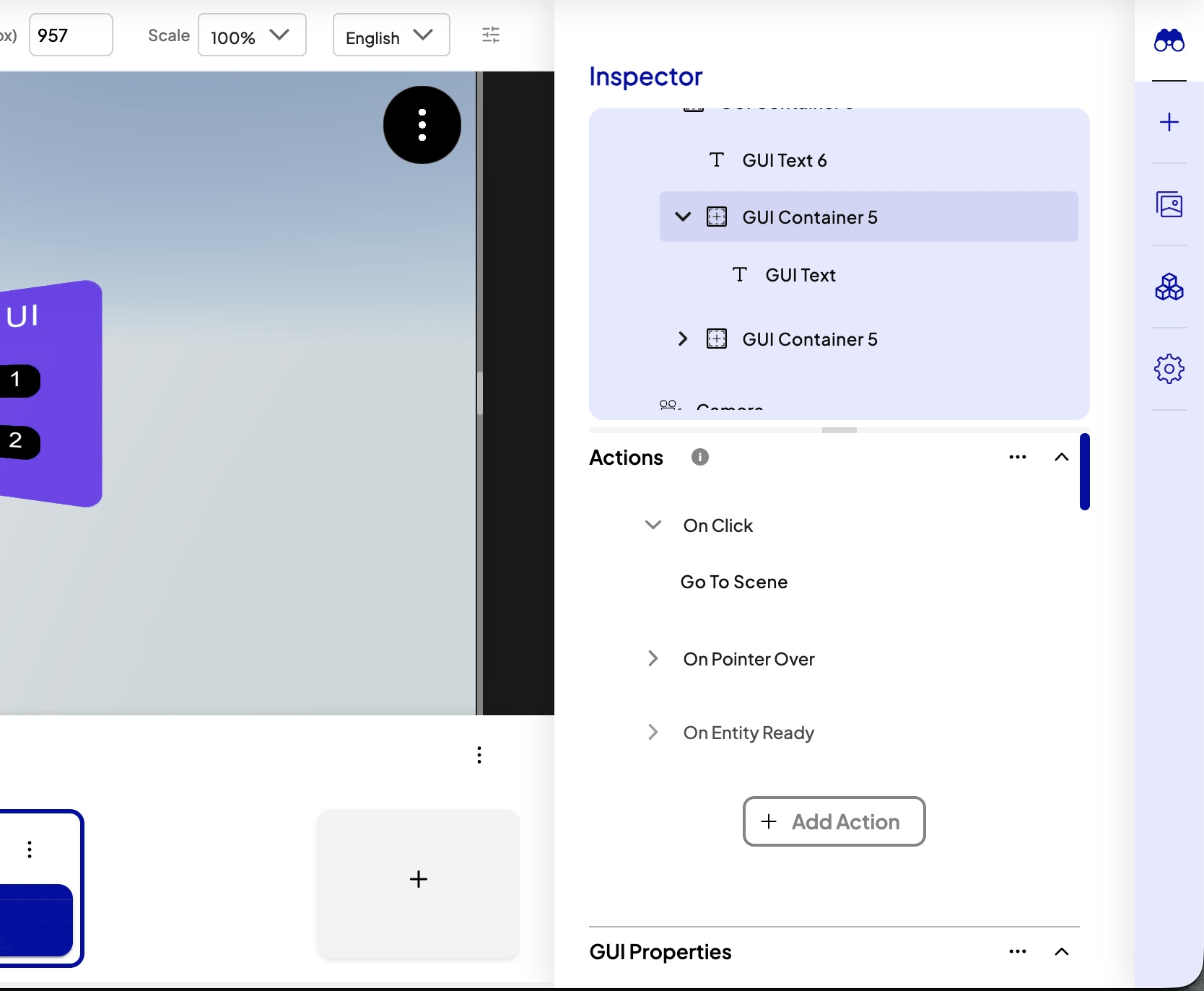
Event types
Event types depend on whether you are editing entity actions or scene actions. Names below match the inspector.
Entity actions — select an entity, open the Actions tab, then pick an event type when adding an action.
- Pointer and input: On Click, On Double Click, On Context Menu, On Pointer Enter, On Pointer Over, On Pointer Down, On Pointer Up, On Pointer Move, On Pointer Leave, On Container Scroll, On Wheel
- Entities: On Entity Added, On Entity Ready, On Entity Removed
- Language: On Language Changed
- Image tracking: On Target Found, On Target Lost. Only on an Image Target, which shows only the events that it can run. See Image Tracking.
Scene actions — select the scene (not an entity) to edit scene-level actions.
- Scene lifecycle: On Scene Enter, On Scene Ready, On Scene Exit, On Scene Timeline Start, On Scene Timeline End
- XR: On Enter Vr, On Enter Ar, On Exit Xr, On Scene Positioned (AR placement)
Action types
These are the effects you can attach (names match the inspector):
- Navigation: Go To Scene, Next Scene, Previous Scene
- Links and language: Open Url, Change Active Language
- Modals: Open Modal, Close Modal
- Entities: Change Entity Property, Reset Entity Properties, Show Entity, Hide Entity, Trigger Entity, Instantiate Prefab
- Media on an entity: Play Entity Media, Pause Entity Media, Stop Entity Media, Mute Entity Media, Unmute Entity Media
- Scene timeline: Play Timeline, Pause Timeline, Stop Timeline, Mute Timeline, Unmute Timeline
- Camera and map: Camera Look At, Center GPS
- XR: Enter Vr, Enter Ar, Enter Xr, Exit Xr
- Commerce: Open Ecommerce Product (XR Stores)
- Utilities: Delay, Custom Code
Conditions
Optional filters on an action include active language, device type, XR mode, date ranges, or geolocation. The action runs only when every condition you set is satisfied.