
Why Responsive UI Is Like Chasing Smoke (and Why VR Makes It Worse)
Responsive design keeps moving the goalposts, and VR/AR break the rules entirely. Why building UI for every device is so hard — and how spatial design changes it.
- UI
- WebXR
- VR
- design
- Cyango
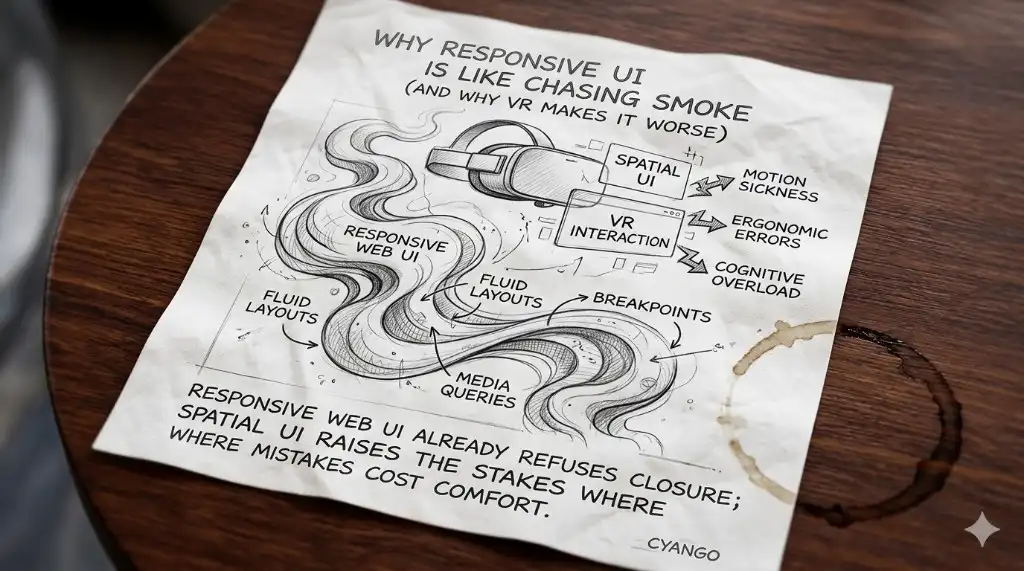
Picture this: you are caffeinated, Figma or DevTools open, and your job is to make one UI behave on every rectangle people own. Desktop looks clean. Tablet shifts something weird. Phone landscape breaks the hero because one customer still uses a device nobody on the team has seen since 2019.
Responsive UI was never "make it smaller." That was the lie we told ourselves so we could keep shipping.
Real responsive work is a negotiation with content, input, attention, browser quirks, safe areas, font loading, image crops, and whatever Safari decided to invent this month. You solve one breakpoint and a different layout starts looking drunk. You patch a component and suddenly a modal on a smaller screen eats its own footer.
Then someone says: "Cool. Now make it work in VR."
Welcome to the part where the floor moves. If you are choosing a WebXR platform that runs across every device, UI strategy is not a side quest — it is the product. Cyango's no-code editor exists so spatial layout is not self-punishment.
Why flat responsive UI already hurts
On a normal website, responsive design has at least one mercy: the screen is flat. Annoying, yes, but still flat. You have width, height, scroll, pointer, keyboard, and a fairly clear hierarchy. People know where to look because decades of web habits trained them.
Even then, tiny decisions cause damage. A button placed too low on mobile disappears behind the browser chrome. A card grid that looked elegant on desktop becomes a tax form on tablet. A sticky header steals a third of the viewport because nobody checked it with the keyboard open.
This is why responsive UI feels like chasing smoke. You are not solving one design. You are solving a family of possible failures.
And in most teams, those failures are discovered late. QA finds them after the component library already blessed the pattern. Marketing finds them after the landing page goes live. A founder finds them at midnight on an iPhone and suddenly everyone remembers "mobile-first" existed.
VR makes every weak assumption louder
VR does not reward "almost." On a flat screen, a broken tap costs a bounce. In immersive space, bad hierarchy and weird motion can cost comfort.
People talk about simulator sickness like it is abstract until you watch someone pull off a headset because a menu followed their face too aggressively. Or because text floated at a depth their eyes hated. Or because a transition made the world slide instead of the user moving through it.
That is a different kind of bug report.
Spatial UI adds questions that normal responsive design never had to answer:
- Should this control live in world space or screen space?
- Does the user point with hand, gaze, controller, mouse, or finger?
- How far away is readable text without becoming a wall?
- What happens when the user turns around and forgets where the menu is?
- Does this interaction feel intentional or like a ghost touching the interface?
You are no longer placing buttons. You are staging attention.
Designers need new instincts
The old instinct says: fit content into viewport. Spatial design asks something nastier: fit intent into a body.
That means scale matters differently. A button can be technically visible and still feel annoying if it lives too close to the user's face. A panel can be beautiful and still fail if it floats with no anchor. A tooltip can be useful on desktop and feel like harassment when it appears inside someone's personal space.
Depth becomes hierarchy. Distance becomes tone. Motion becomes trust.
If that sounds dramatic, good. It should. VR UI is not a Dribbble shot with bloom. It is behavior design inside a place.
Skip shader contests. Keep people grounded while they explore.
Developers get punished too
Designers are not the only ones catching pain. Developers inherit the bill.
Every "small UI adjustment" can turn into transform math, raycasting bugs, device-specific input, headset testing, and a debate about whether the browser, framework, or runtime is lying. On web, you inspect DOM. In VR, you sometimes inspect vibes. Very professional. Very expensive.
This is why teams stall. They can imagine a spatial product, but execution becomes a swamp. Too much glue code. Too many one-off patterns. Too much "let's ask the 3D guy" for things a web team should be able to handle.
If spatial UI requires heroics every time, most companies will not ship spatial UI. They will ship a video and pretend.
What good WebXR UI should feel like
Good tooling does not remove taste. It removes punishment.
You should be able to place UI in a scene, tune layout, preview interaction, and publish without building a mini engine for every prototype. Designers should see ideas quickly enough to judge them. Developers should reserve custom code for logic that matters, not for recreating panels, buttons, and responsive behavior from scratch.
Cyango's WebXR UI is built around that boring but important belief: if spatial experiences are going mainstream, authoring them cannot feel like smuggling web design through a game engine.
Drag blocks. Tune layout. Decide what belongs on screen and what belongs in world. Preview across devices. Keep enough control to be serious without forcing every creator to become a pipeline engineer.
The real test
Anyone can make a menu float. Better question: can someone use the experience without thinking about the menu at all?
That is where responsive UI and VR finally meet. Both are about respect for context. Different screen, different body, same job: remove friction between intent and outcome.
If you want to explore WebXR UI without pretending this is all solved, create a free Cyango account and prototype layout and comfort tradeoffs in xr/studio before you promise headset magic to a client.